
· Equilibrium · Blog · 4 min read
Turning SharePoint into a DAM
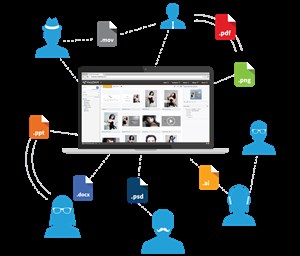
VP of Product, Chris Duke, has just published this blog post at SharePoint Europe about the benefits of an integrated solution for enhancing your SharePoint installation, the text is here and you can link to the original article at the bottom of the page.
Turning SharePoint into a DAM (Digital Asset Management System)
SharePoint has many virtues and capabilities but it is not a DAM, MAM, ECM or any other acronym for organising your digital content. Due to the volume of digital content we are creating today and the demands to deliver that content to more platforms, the need for a way of managing this data is essential. Just buying DropBox storage is not the answer and many SharePoint customers end up looking for solutions that are external to SharePoint that do not work with it, or they have to create bespoke integration which costs time and money. So what defines a Digital Asset Management? Well the DAM Foundation have published a list of 10 characteristics that make a DAM a DAM and you can read the article here http://damfoundation.org/?p=31150. You will see that SharePoint has a few of those but certainly not all of them, so what elements should to be added to SharePoint to make it a functioning DAM? The first is Metadata, this is essential given the volume of content you have in your libraries, you need to be able to identify each file as simply as possible. It is not just the standard data like EXIF or IPTC that you see in SharePoint today but the ability to add custom data to travel with the files is vital and this data should be able to be added in a batch process at import or at any other point. Once you have this metadata you need to be able to search for it offering a really deep search capability. It is amazing how many assets get lost and end up having to be re-uploaded or worse re-created due to a lack of robust metadata and search functionality. The next thing is the ability to perform actions on ‘batches’ of assets and methods by which assets can be shared. Firstly the ability to upload files in a large batch rather than singularly is key, being able to access whole folder structures in a single process would be even better. Once you have uploaded the assets and used the powerful search you need to be able to create collections that can be easily delivered to clients, your website and process the assets to meet the requirements of those outputs. Ideally you would be able to automate this processing which could include things like changes to size, format, compositing graphics, within the SharePoint environment without the need to move to external apps. This would mean having the ability to add functionality like having a self service model to your libraries which means control over asset usage and reducing the impact on creative resources for simple work,
 SharePoint DAM
https://www.sharepointeurope.com/blog/2015/4/8/turning-sharepoint-into-a-dam